Best Productivity Apps for Remote Workers
Best Productivity Apps for Remote Workers
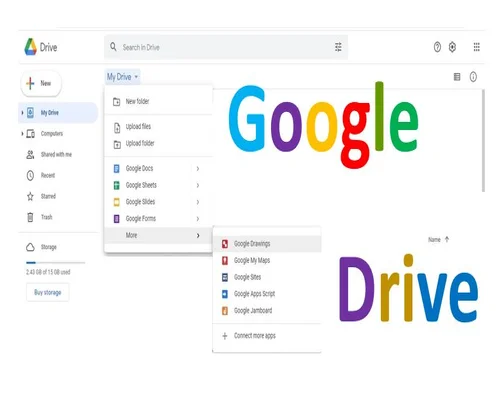
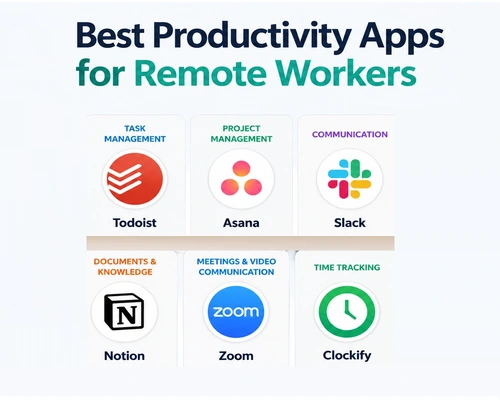
Asana and [ClickUp] for project management, [Slack] for communication, [Google Drive] for file sharing, and [Zoom] or [Google Meet] for video meetings are the most popular and effective apps to speed up the work of remote workers.
The best apps to facilitate the work of remote workers are divided according to the type of work:
Project and task management
ClickUp: Best for organizing all types of tasks, documents, and whiteboards together.
Asana: Very effective for tracking project progress, tasks, and deadlines.
Trello: Helps organize small and medium tasks very easily through Kanban boards.
Communication and real-time meetings
Slack: The main means of exchanging team chats, channels, and instant messages.
Zoom / Google Meet: Used worldwide for video conferencing and remote meetings.
Loom: Best for sending quick updates by recording the screen and video instead of typing.
File and document sharing
Google Workspace: The easiest way to work remotely together with Docs, Sheets, and cloud storage.
Notion: Great for taking notes, creating a remote company wiki, or storing information.
Focus and time tracking
Toggl Track: Great for tracking work time and figuring out who taking what amount of time.
Focus@Will: Helps you focus on your work with background music or white noise.
There no single “best” app for remote work—the best tools vary depending on the type of work you are doing. Here are the most useful ones in recent reviews from 2026.
Which app is best for what?
Personal tasks and tasks: Todoist — Great for adding tasks easily, recurring tasks, and daily planning.
Team projects: Asana or ClickUp — Great for tracking responsibilities, deadlines, workflows, and project progress.
Communication: Slack — Powerful for channel and thread-based communication and various integrations. Microsoft Teams may be more convenient for Microsoft 365-based organizations.
Notes & Knowledge Base: Notion — great for keeping documents, wikis, databases, and project information in one place.
Easy Choices
If you work alone: Todoist + Notion
Small/medium teams: Slack + Asana/ClickUp + Notion
If you use Microsoft 365: Teams-centric workflow
If you want to reduce meetings: Consider a tool like Loom for async communication and video updates.
Most importantly: Having multiple apps does not always make you more productive. It is more effective to choose 2–4 tools and be clear about where your information goes.