How to tell if a power supply is good or bad?
How to tell if a power supply is good or bad?
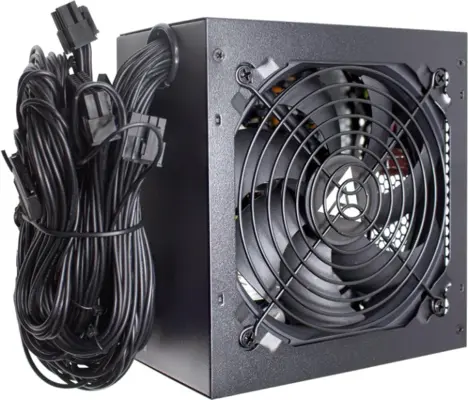
To tell if a computer power supply unit (PSU) is good or bad, you need to pay attention to its symptoms and do some simple tests. If the power supply is bad, the PC may restart frequently, a blue screen (BSOD) may appear, and even a burning smell may be emitted.
Here are some easy ways to tell the status of the power supply:
Symptoms
Unusual noises: If the fan inside the power supply makes a ticking, whirring, or other loud noise.
Frequent restarts or crashes: The computer suddenly shuts down or restarts for no reason, especially during heavy work or playing games.
Burning smell or smoke: If the power supply smells plastic or burnt.
The computer does not turn on: If the PC does not turn on even after pressing the power button.
How to test
Paperclip test: Connect the green wire and any black wire of the 24-pin connector of the power supply with a bent paperclip. Then, when you turn on the power supply, if the fan inside it spins, you will know that the power supply is on.
Test with a multimeter: You can use a multimeter to measure the voltage on the 12 volt, 5 volt, and 3.3 volt pins to see if the correct power is being supplied.
Use a surge protector: A good power supply has a built-in fail-safe mechanism to protect the system from excessive voltage or current.